No products in the basket.


High Quality Print

Low Prices

White label Shipping

Quick Delivery Time

Bulk Order Discount
Artwork & Print Services
Do you already have your artwork, or do you require our assistance in creating it? Foamex Printing Company prints sharp, vibrant boards and rigid display graphics for retail, exhibitions, construction and commercial projects, every file checked in-house, with fast, reliable delivery across the UK.
- ✓ Every file checked by our prepress team before printing begins
- ✓ PDF, EPS, JPEG and TIFF accepted
- ✓ No artwork? Our design team will create it for you
- ✓ Fast, tracked UK delivery on every order
How Can We Help You?
Select an option to get started:
Upload Your Artwork
I have print-ready files
PDF, EPS, JPEG, TIFF | Max 5MB
Designing with AI? AI files often aren't print-ready,read our AI Artwork Guide
Need Help Preparing Your Artwork?
Send us what you've got, our prepress team will sort the bleed, colour, resolution and layout to make it press-ready.
Artwork prep service From £35 + VAT
How to send it Upload form Email WeTransfer for 10MB+
How to Supply Your Artwork
The quickest route to a perfect print. Follow these do's and don'ts and your job sails straight through our prepress checks.
Do this
Supply a press-ready PDF (or EPS) built at the exact finished size, JPEG and TIFF are also accepted.
Set the document to CMYK at 300dpi, full size, use a rich black (C20 M20 Y20 K100) for large solid-black areas.
Add 3mm bleed on every edge and include crop marks.
Keep text and logos inside the 5mm safe zone, away from the trim edge.
Outline all fonts and embed every image before exporting.
Name your file clearly, e.g. company-5mm-foamex-A1.pdf.
Proofread at 100% zoom before sending, check spelling, layout, and image sharpness.
Avoid this
Sending low-res images, screenshots, or photos pulled from a website.
Supplying RGB or Pantone files, colours will shift on press.
Upscaling a small image to fit, it will print soft and blurry at board size.
Leaving live text un-outlined or images only linked, not embedded.
Sending Word, PowerPoint or Publisher files as final artwork.
Assuming an on-screen design is print-ready without a proper proof check.
No Artwork? We'll Create It for You.
Our in-house design team creates print-ready artwork for every Foamex product we offer. Whether you need a simple information board or a full exhibition display, all we need is your brief, your logo, and your brand colours.
- Bespoke design tailored to your Foamex product and application
- Artwork produced to print specification using UV flatbed standards
- Suitable for all thicknesses: 3mm, 5mm, and 10mm Foamex
- Design feedback welcomed at every stage of the process
- Turnaround times discussed and agreed at the point of order
Share Your Brief
Tell us your product, board size, quantities, and what you want to communicate.
We Create the Artwork
Our designers produce print-ready Foamex artwork based on your brief and brand guidelines.
You Approve
Review the design, share feedback, and sign off when you are satisfied with the result.
We Print and Deliver
Approved artwork goes to UV flatbed print and your boards are dispatched with fast UK delivery.
Getting Your Artwork Ready for Print
Designed it yourself? Here's how to get a clean, print-ready PDF out of the most common tools.
Designing in Canva? Follow these steps
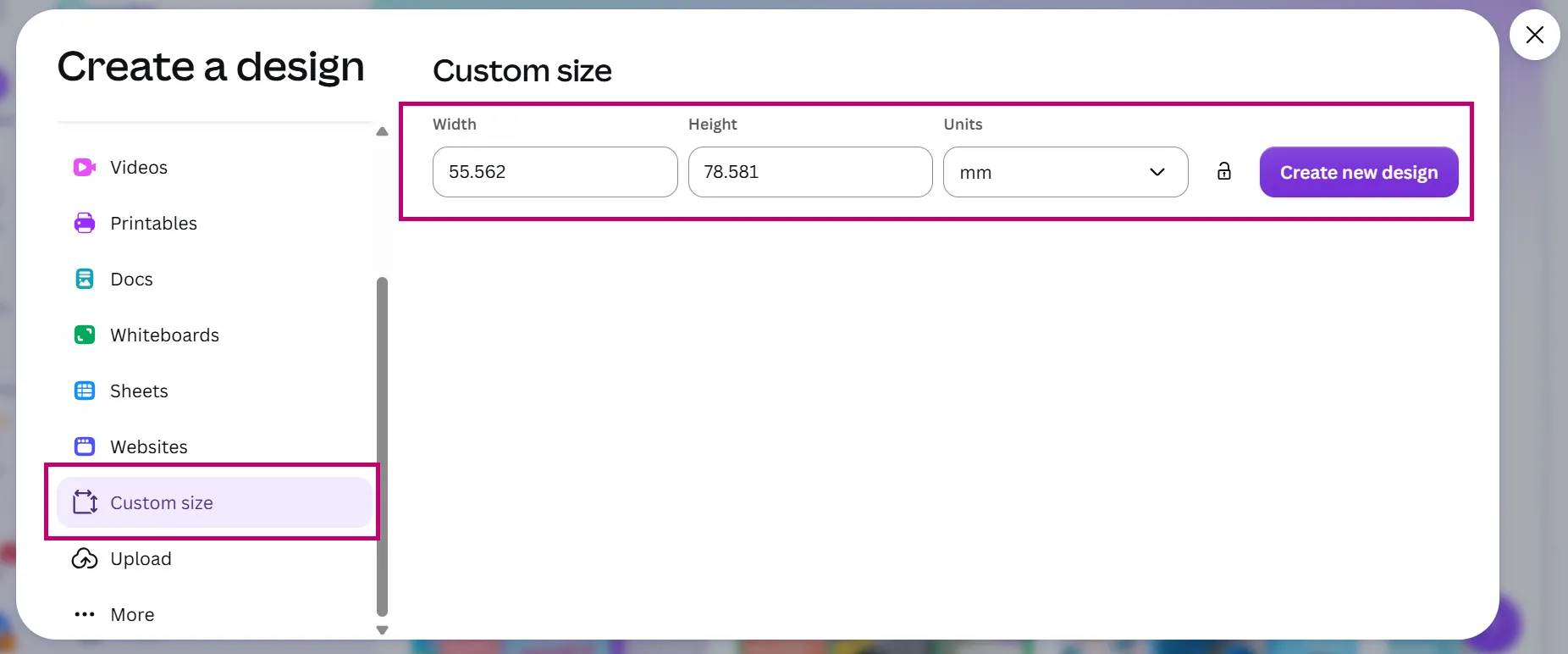
1 Set the exact board size
Create a design → Custom size, then enter your finished width and height in mm (or cm).
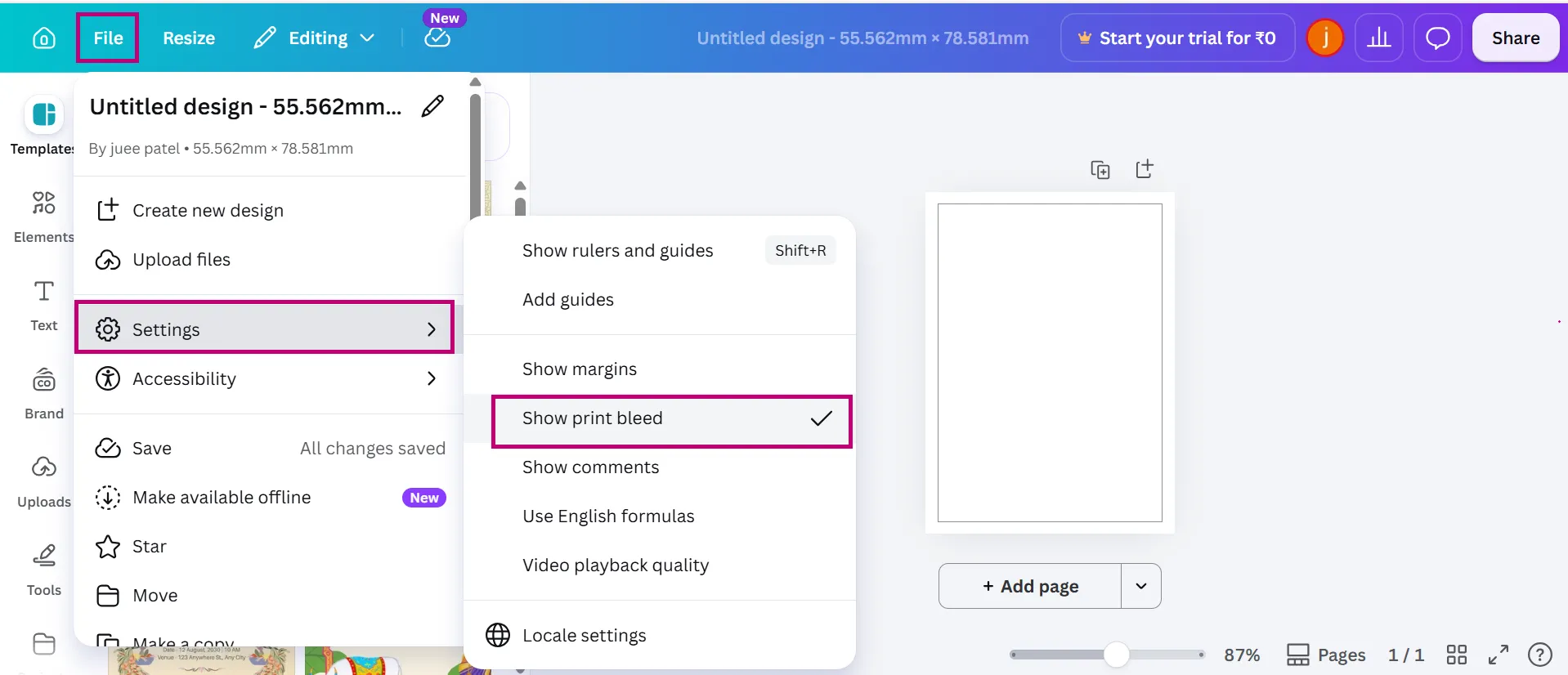
2 Turn on print bleed
File → Settings → Show print bleed to switch on the bleed guides.
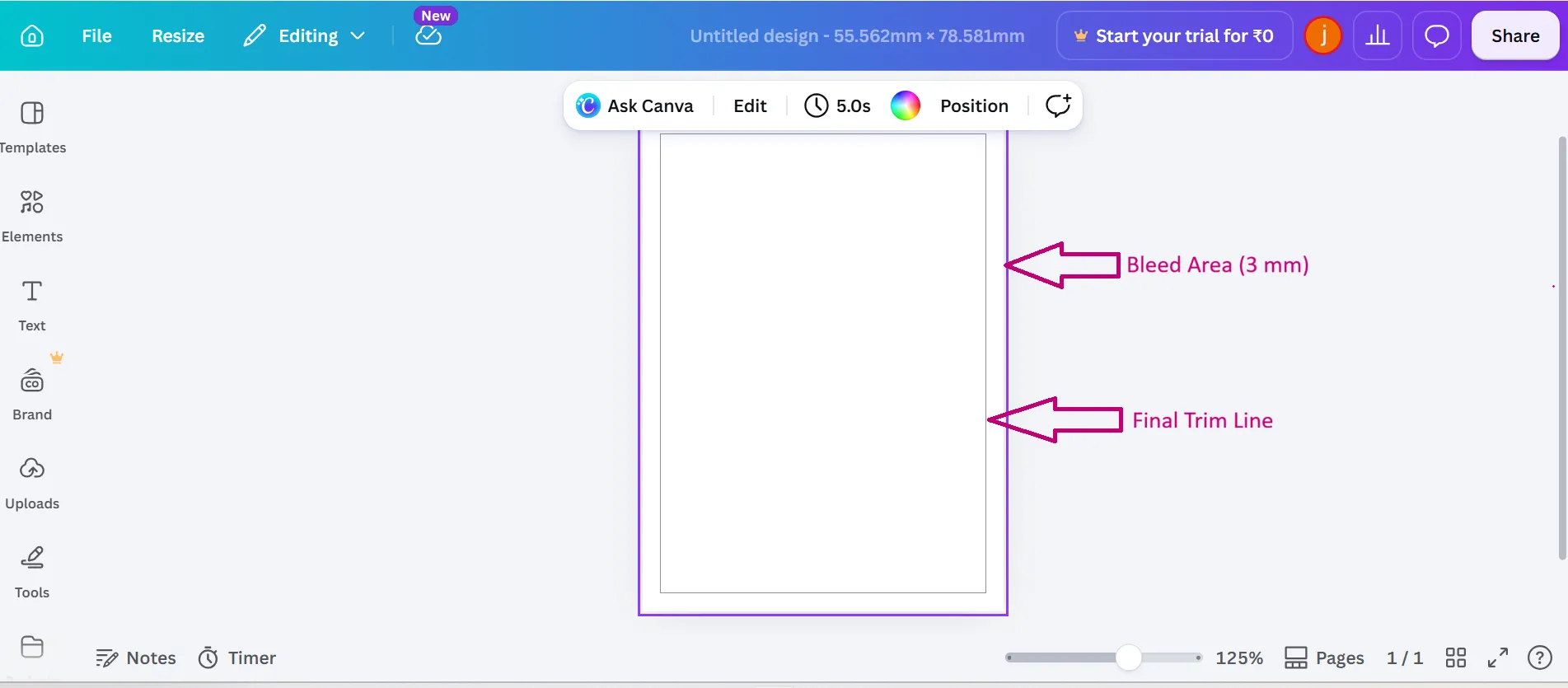
3 Your bleed & trim guides
A dotted outer bleed line and inner trim line now appear around the page.
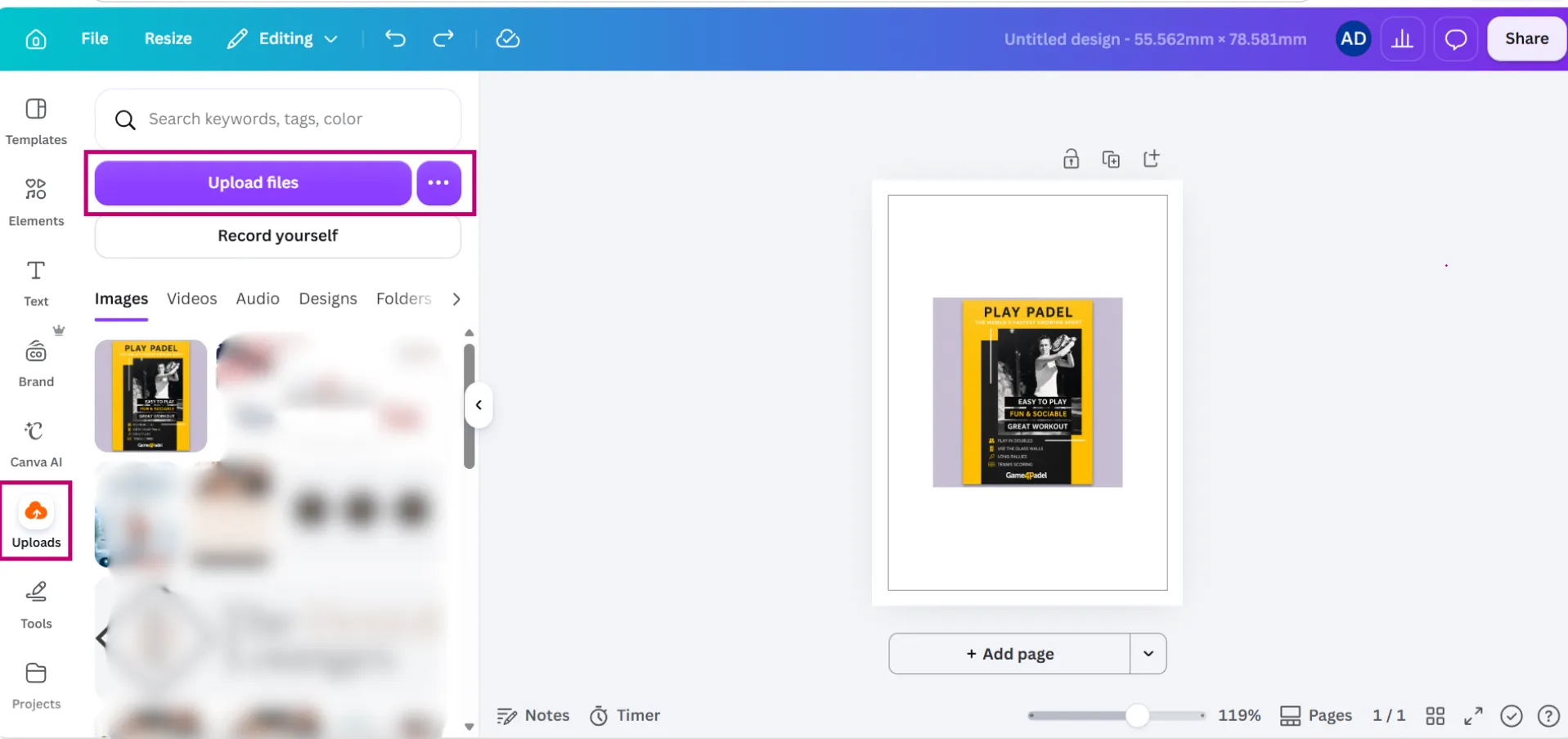
4 Add your own high-resolution images
Use the Uploads panel to add 300dpi images — free elements and stock can print soft.
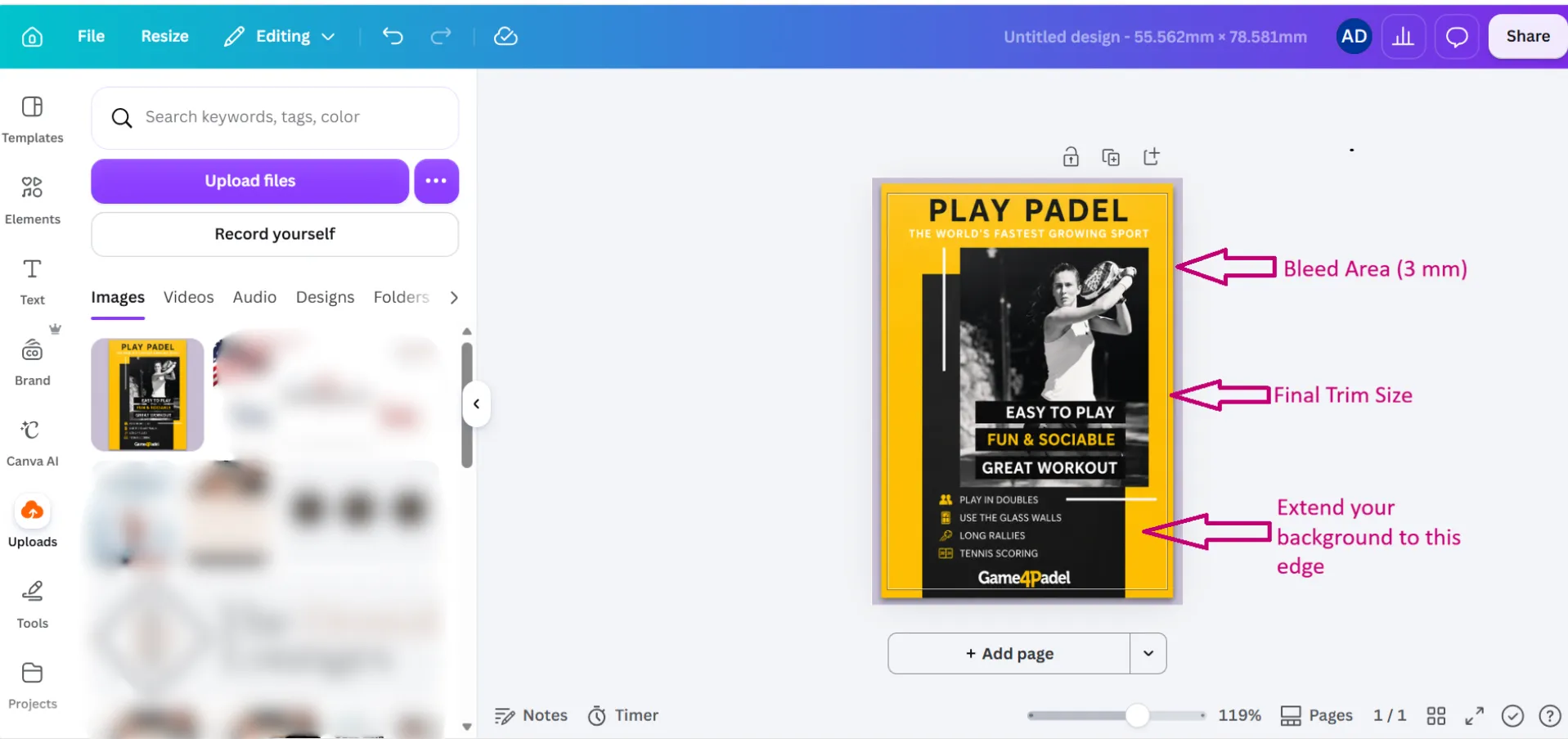
5 Extend your background to the bleed
Push backgrounds and images out to the bleed edge (3mm). Keep text and logos inside the trim.
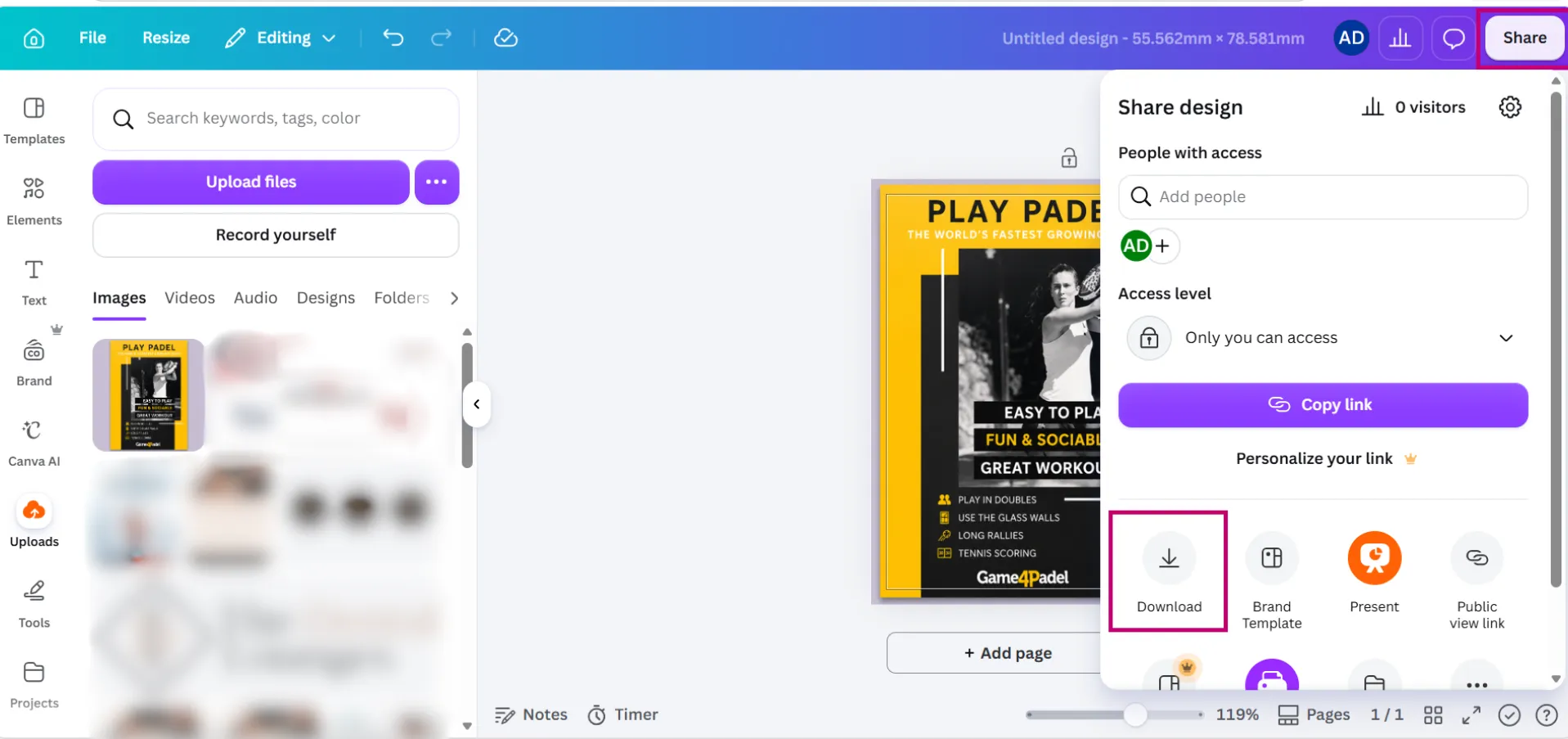
6 Open Share → Download
Click Share, then choose Download to open the export options.
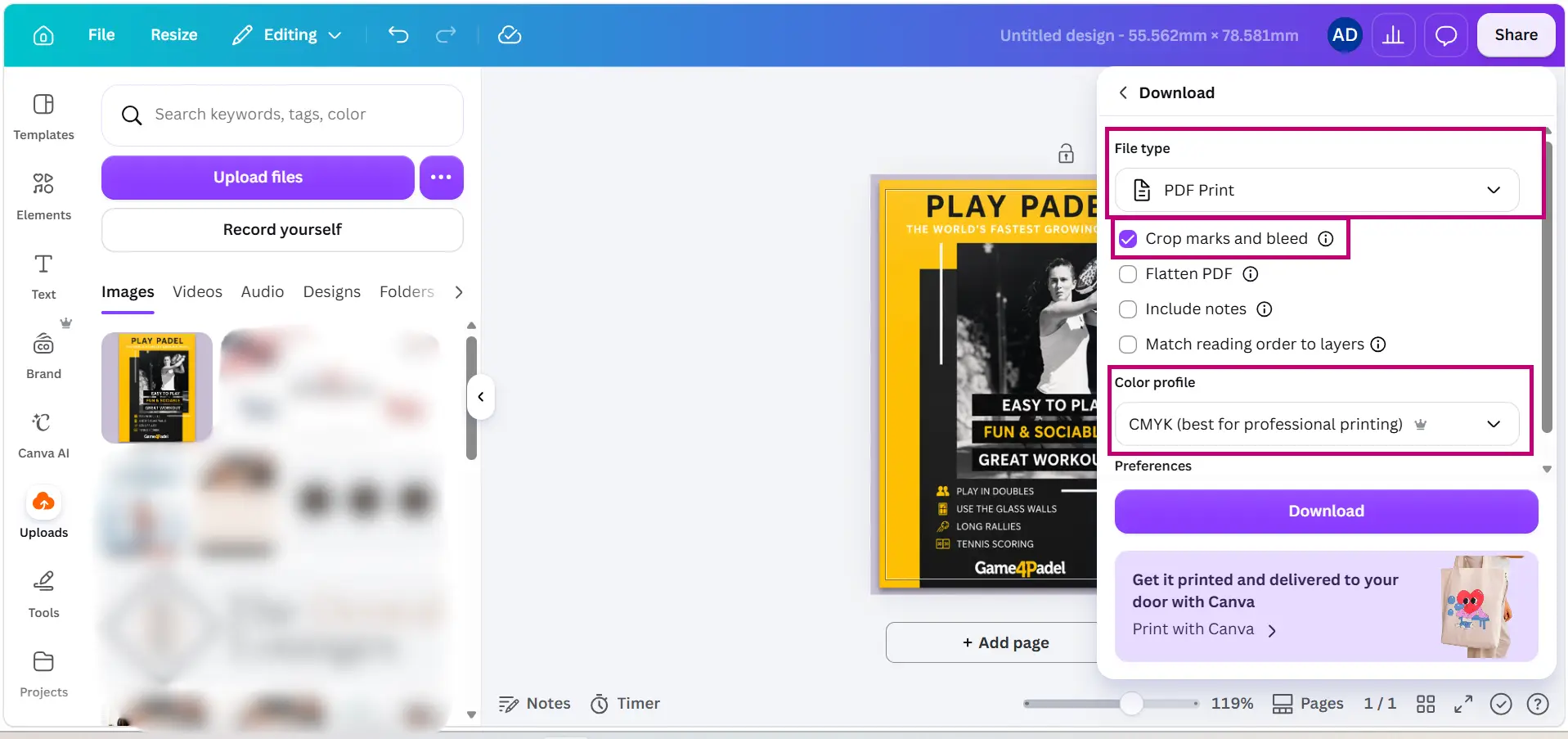
7 Export as a PDF Print
File type: PDF Print, tick Crop marks and bleed, and set Colour profile: CMYK (Canva Pro).
8 Check the exported PDF
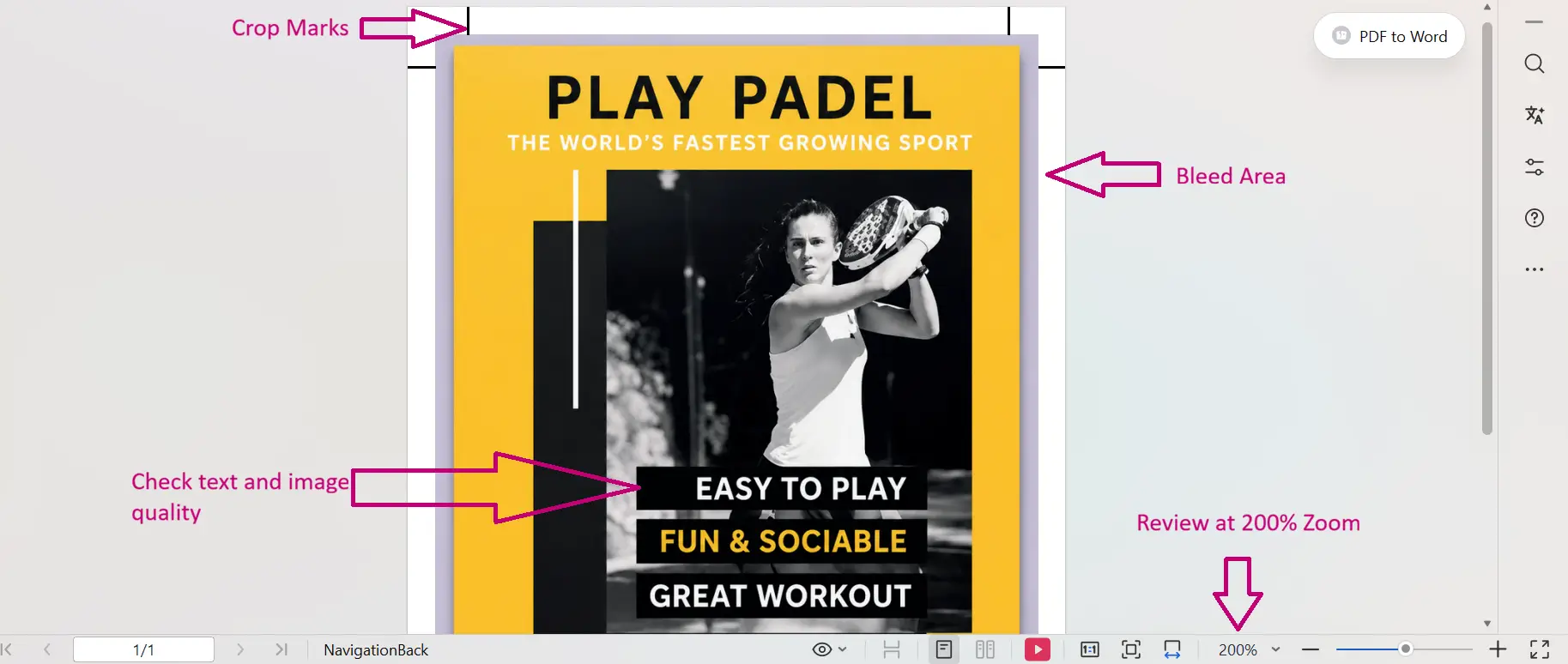
Open the PDF (not the Canva preview) and zoom to 200% — check crop marks, bleed and sharpness.
Canva’s limits: it can’t produce spot colours or cutter/contour guides, and free accounts are RGB only. For those — or for the sharpest possible result, use Illustrator/InDesign, or send us the file and we’ll finish it.
Cutting to a custom shape? Supply a cutter guide (contour or cut path) on its own layer as a vector spot colour named CutContour, set to overprint, don’t draw the cut line onto the artwork itself. Not sure how? Send your design and we’ll add it for you.
Other design software
Illustrator
Embed all images (or supply the originals) at high resolution, and convert your fonts to outlines, or send the font files with your artwork.
Photoshop
Flatten your design and save as a high-quality TIFF or JPEG. If you send a layered PSD, outline the fonts or include the original font files.

InDesign
Package your file (File → Package) so the INDD comes with its linked images and fonts folders, then send us the whole folder.
Artwork Ready or Need a Design? We're Here to Help.


Leading
Print Technology
We only invest in the latest print and finishing equipment